

Special Offer! Try Contrl for free for 3 months! Learn more here
logo
Home chevron_right Online Store

Online Store

Contrl connects easily to your existing WooCommerce store through our integration with Kroconnect. Products, inventory, and orders are automatically synced between the systems, so you avoid duplicating work and always have up-to-date information. You can also use our booking shop to accept reservations directly online—perfect for those who offer services or experiences, without the online store taking over your website.

storefront
Sync with WooCommerce
Everything is connected
Automatically sync products, inventory levels, and orders between WooCommerce and Contrl via Kroconnect—and keep your systems up to date at all times without duplication of effort or the risk of errors.
manufacturing
Booking Shop
Integrated and Clear
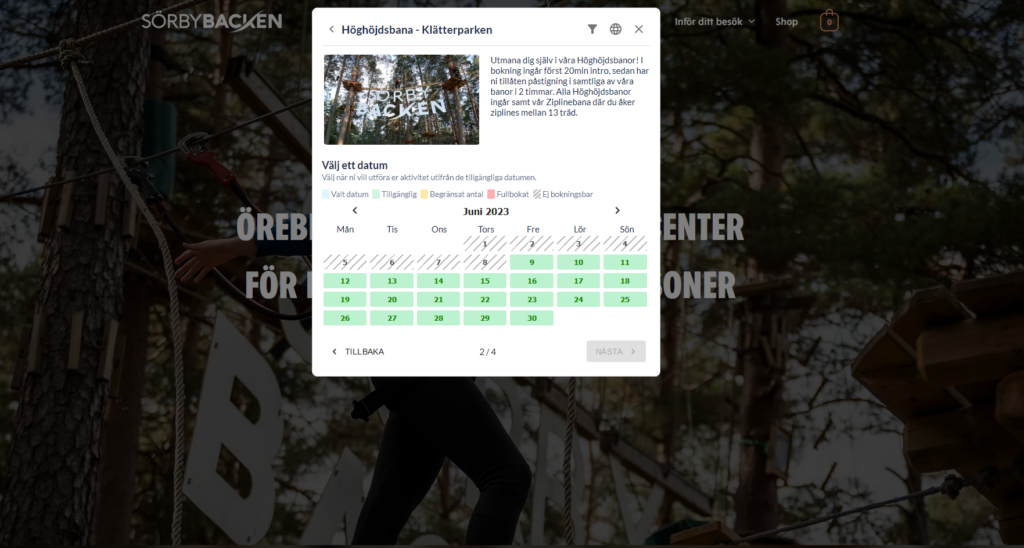
Use Contrl's booking shop to offer appointments online—perfect for those who rent out spaces, teach classes, provide services, or offer experiences that customers can book directly through your website.
receipt_long
Scheduling
Full control over resources
Set up schedules for resources, availability, and business hours. The booking portal automatically shows what’s available for booking—so you don’t have to double-check the calendar manually.
receipt_long
Gift Cards
Works anywhere
Sell gift cards directly in the booking shop and redeem them at the time of booking or at checkout. Easy to manage—and convenient for the customer, no matter where the purchase is made.

Frequently Asked Questions

Here we've compiled the most common questions. For more questions and answers, click "Read More."
Read more
WordPress Plugin expand_more

To activate our WordPress plugin, follow the link below. Alternatively, if you're logged in as an administrator on wordpress.org, navigate to “Plugins” and then search for our plugin.


Click here to visit our plugin on wordpress.org

What kind of support do you offer? expand_more

We offer several ways to get support. As a customer, you can contact us by phone or email. If you have a cash register, on-call support is included outside of regular business hours on weekdays from 8:00 a.m. to 4:00 p.m.

Online Store Logos expand_more

Here are some logos you can download for your website. Right-click and save them to your computer. Then upload them to your website at the bottom of the footer. Choose the one that includes your selected payment methods. The “NEXI” logo and one of the payment methods must be visible for your online store to function properly.

Are you interested?

Let's show you more and schedule a demo

Schedule a demo